Daniel Strmečki
In the first part of our test automation blog series, we explored why test automation is essential for AEM as a Cloud Service (AEMaaCS), where continuous delivery and shared code ownership simply make manual testing inefficient. We covered the four pillars of a robust testing strategy:
- Unit tests to catch backend bugs early
- UI tests to protect the end user and authoring experience
- Lighthouse tests to ensure great frontend performance and SEO
- Backend performance tests to validate scalability
With these foundations in place, in the second part, we'll focus on automating test execution and reporting, turning strategy into action. First, we'll discuss which tooling options are available for writing and executing different types of tests in AEMaaCS. Then, we'll check which automation options are available in Cloud Manager. Finally, we'll demonstrate how to get this type of automation in place using Adobe Developer Console, Cloud Manager Events, GitHub Actions, and a few lightweight services running on AWS.
Available Tools
In AEMaaCS, it is highly recommended to write unit tests with JUnit and make use of AEM Mocks (preferred) and Mockito (alternative) libraries to create the required mock/fake objects. Unit tests need to run with every build. Adobe requires at least 50% code coverage, although we recommend at least 80%. By integrating Adobe or custom SonarQube (or ideally both) with pull request decoration feature, we can prevent any non-compliant code from triggering a Cloud Manager deployment pipeline.
Adobe provides a way to integrate custom UI tests into Cloud Manager deployment pipelines. Most popular frameworks like Cypress, Playwright, and Selenium are supported. Although the official recommendation is to use Cypress, we've recently switched to Playwright and find it a little bit more modern, flexible, and faster. As Cloud Manager deployment pipelines are by default quite slow (20-60 minutes, depending on project complexity), a good alternative is to run UI tests using a custom CI/CD solution like GitHub Actions.
Experience audit, basically Lighthouse testing in AEMaaCS, is also included in the Cloud Manager deployment pipeline. We can configure which pages should be tested after deployment and get nice reports with historical trends. Lighthouse tests are pretty fast, so we recommend using the Adobe-provided solution. However, in case you use a custom CDN with authentication headers required to access content on lower-level environments, then similar custom solutions can be achieved with any cloud provider like Azure or AWS.
OOTB backend performance tests automatically run during production Cloud Manager deployment. They simulate load on the publish tier (usually 10–15 minutes), and measure key metrics like page load time, error rate, throughput, and CPU/Memory utilization. Custom load tests using tools like JMeter, Gatling, or K6 are not natively integrated into Cloud Manager. Therefore, to test our customizations and extensions, we need to develop and automate backend performance testing ourselves. In our experience, K6 load testing has proven to be a great performance testing tool choice. It can be easily integrated with a CI/CD tool like GitHub Actions and is simple to use for simulating traffic to AEM’s public endpoints.
Cloud Manager Events
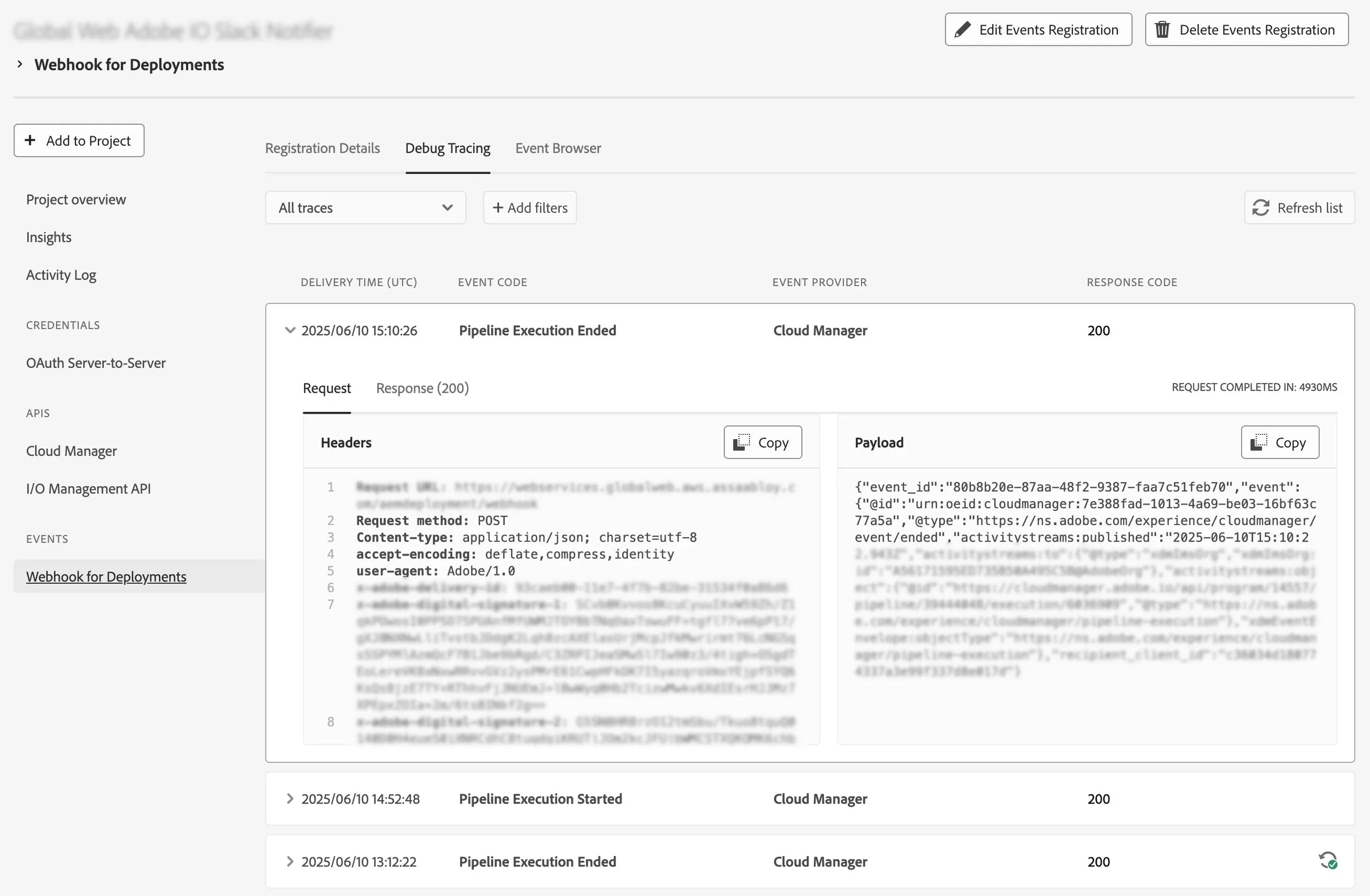
When we introduce custom testing tools, we need to get them integrated into the Cloud Manager CI/CD. We can achieve that by enabling Cloud Manager Events in just a few short steps. First, navigate to Adobe Developer Console and select the correct Adobe Org and Project. Then, add the Cloud Manager API, and enable Events (usually pipelineExecutionStarted and pipelineExecutionEnded). Finally, any custom webhook can be registered as the event receiver. Therefore, we can use any publicly available API, for example, implemented with AWS Lambda or Adobe I/O Runtime. In custom webhooks like Lambda, we'll need to use verification tokens in headers to verify the message source, while in Adobe I/O Runtime webhooks, authentication is handled internally.
Example Automation
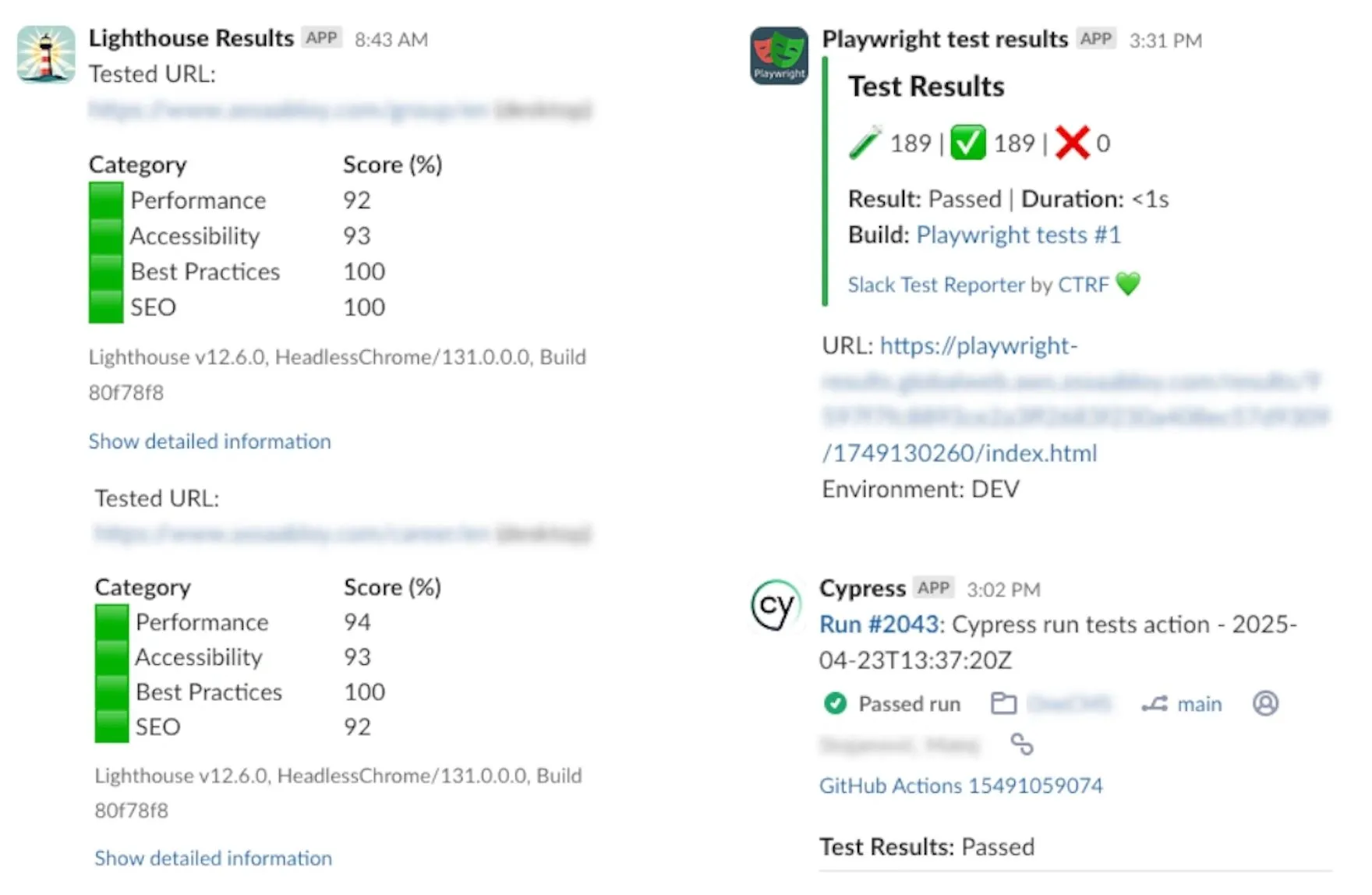
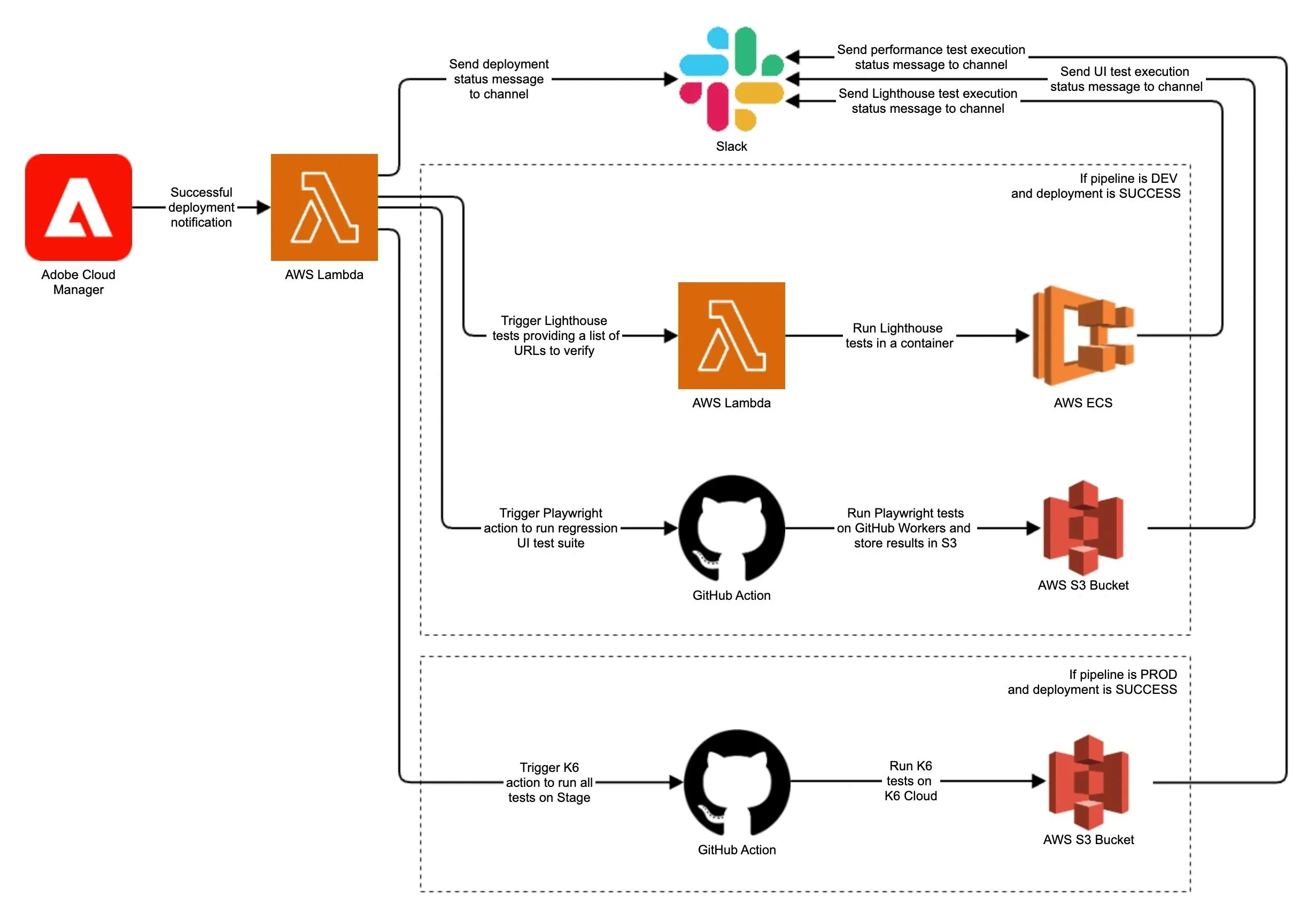
Let's walk through an example test automation setup used on one of our projects. Here, we used AWS Lambda as the receiver of Cloud Manager deployment events. Our custom Lambda script first informs the team about all deployment events via Slack. Then it checks if the deployment was successful and which environment was targeted. For DEV environments, it triggers Lighthouse and Playwright UI tests, while for Stage, it triggers K6 performance tests. As the event receiver, our Lambda can call other Lambdas or trigger GitHub Actions that can be customized to run any test tool. In the end, all test reports are sent to Slack, notifying the team about the status. In case any of the tests fail, the development team can take action and fix it before promoting the feature to any higher-level environments.
Conclusion
Test strategy without automated execution is just a wishlist. In this post, we demonstrated how to bridge that gap by automating test execution and integrating it seamlessly into the AEMaaCS delivery lifecycle. Leveraging Cloud Manager Events, Adobe Developer Console, and modern development tools like AWS Lambda and GitHub Actions, teams can orchestrate basically any type of custom testing, using any tool of choice.
This kind of automation doesn’t just catch bugs, it builds confidence. It keeps teams informed through instant feedback, enables faster releases, and ensures consistent quality across environments. If you're unsure where to start or your current setup leaves gaps in coverage, visibility, or reliability, then reach out to us. We specialize in delivering complex AEM solutions with end-to-end test automation, helping enterprises deliver faster without sacrificing stability.