Daniel Strmečki
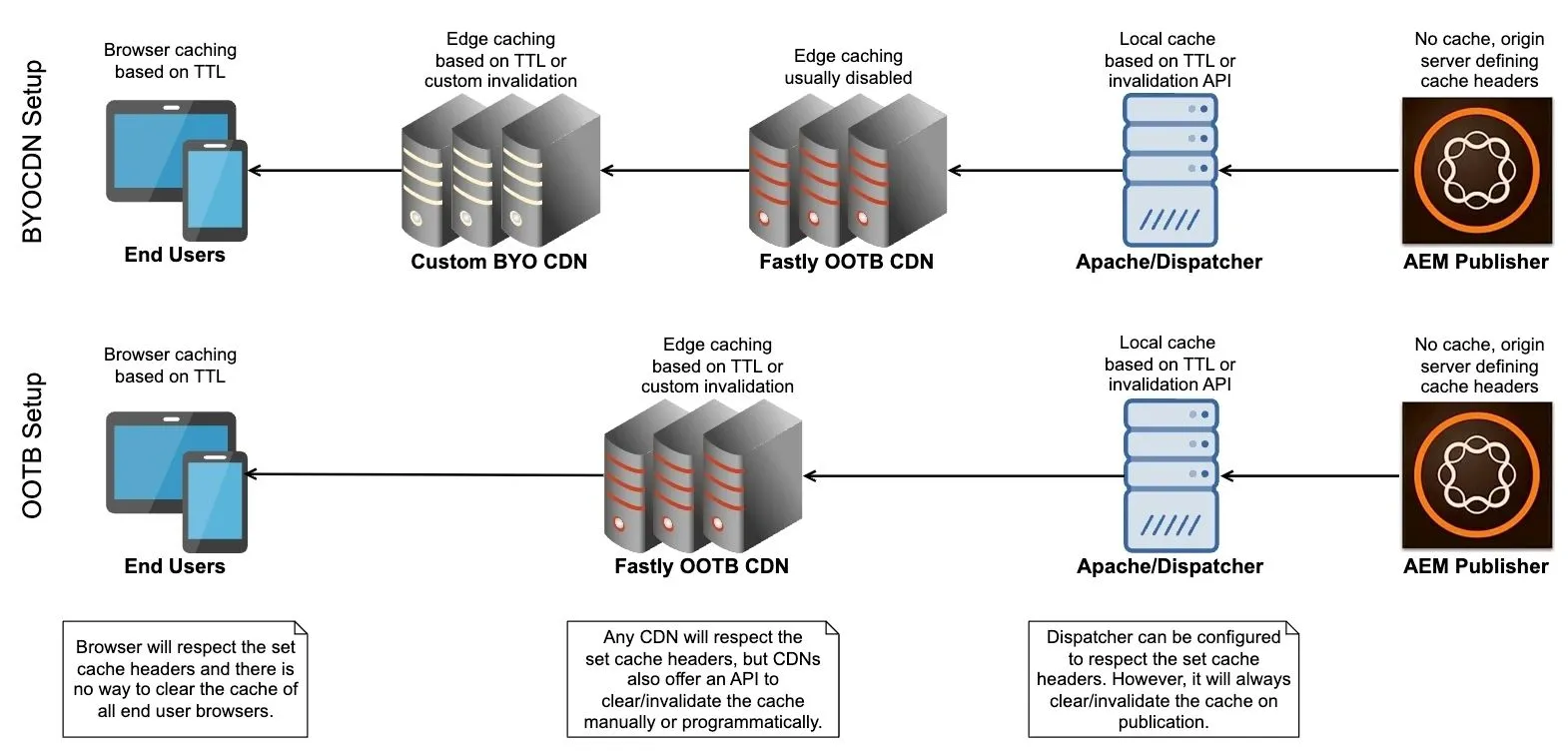
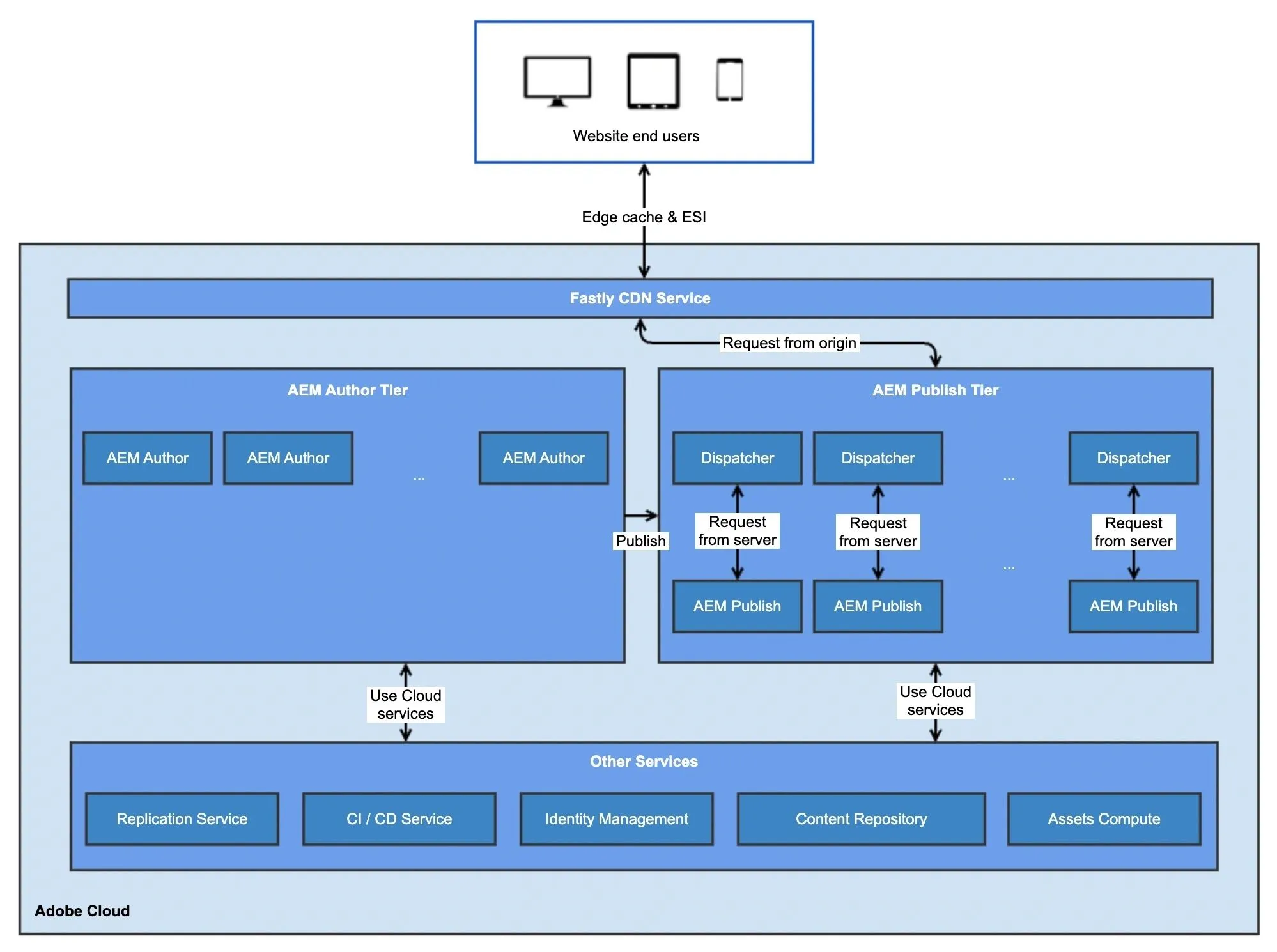
When we make a request to fetch an asset from AEM as a Cloud Service (AEMaaCS), our request doesn’t go straight to the AEM Publish instance. Instead, it’s handled by Adobe’s OOTB CDN, which sits in front of AEM Publisher and serves cacheable content directly from the edge.
If the asset isn’t already cached, the CDN may fetch it from the cloud storage backend where AEM Assets binaries are stored. This storage layer behaves like a blob store and is fully managed by Adobe. Once retrieved, the response is cached at the CDN and served directly from there. Therefore, AEM Publisher is no longer involved in most asset delivery requests.
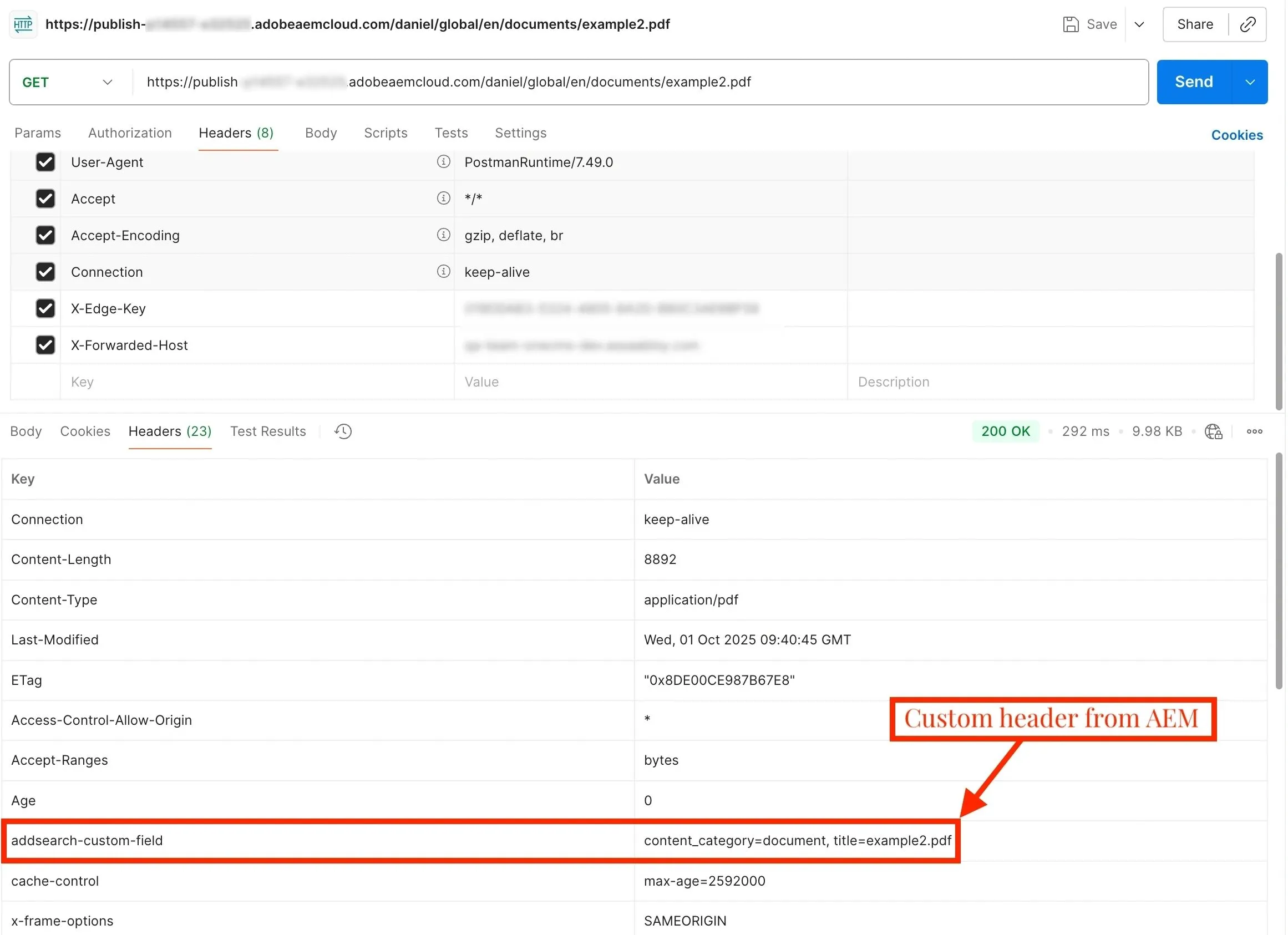
Because of this new cloud architecture, Sling Filters or Servlets that add custom response headers don’t affect CDN-served assets. We can still implement response.setHeader() inside AEM, but unless the CDN explicitly allows that header to be forwarded, it won’t appear in the response sent to the end users. Note that some standard headers are whitelisted OOTB by Adobe.
To handle custom headers properly, Adobe recently added a new CDN configuration property that allows us to override headers for assets.
Override Headers with CDN Config
Adobe provides a YAML-based CDN configuration, which is defined in a file named cdn.yaml, located in a specific project root folder, usually /config. It allows us to configure caching rules, request/response manipulations, and other CDN behaviors that control how the OOTB CDN operates.
One of the response transformation properties recently made available by Adobe is overrideBlobHeaders, which allows us to define custom headers to preserve or override from AEM’s response before serving assets.
kind: "CDN"
version: "1"
metadata:
  envTypes: ["dev", "stage", "prod"]
data:
  responseTransformations:
    overrideBlobHeaders:
      - X-Custom-Asset-Header
To deploy a CDN configuration, we need to configure and run a dedicated Config Pipeline in Cloud Manager. Config Pipeline will validate and deploy these settings to the OOTB CDN. The config update is applied almost instantly to the target environment without affecting AEM or Dispatcher.
Add Headers with Sling Filters
Once the OOTB CDN is set up to preserve our custom header, we can use a simple Sling Filter to dynamically set the header value for any requested asset.
@Component(service = Filter.class, immediate = true)
@SlingServletFilter(
  scope = SlingServletFilterScope.REQUEST,
  resourceTypes = "dam:Asset",
  methods = {"GET", "HEAD"}
)
public class CustomAssetHeaderFilter implements Filter {

    @Override
    public void doFilter(final ServletRequest request, final ServletResponse response, final FilterChain chain)
      throws IOException, ServletException {

        final SlingHttpServletRequest slingRequest = (SlingHttpServletRequest) request;
        final SlingHttpServletResponse slingResponse = (SlingHttpServletResponse) response;
        slingResponse.setHeader("X-Custom-Asset-Header", "Value-from-AEM");

        chain.doFilter(request, response);
    }
}
To target specific asset types, the filter can be updated to use the resource_pattern attribute in the @SlingServletFilter annotation to match only certain file extensions. For example, using a regex such as /content/dam/.+\.(pdf|docx|pptx)$ ensures the filter only runs for those asset types, keeping it efficient and precise.
Test with AEM Mocks
We can verify our filter behavior using AEM Mocks, ensuring the header logic runs correctly. Our example test calls the doFilter method directly to test only our filter’s logic without depending on Sling’s full request pipeline. This makes unit tests faster, reliable, and focused, avoiding issues with servlet resolution and slow Oak setup. End-to-end behavior, including CDN, still needs to be verified manually on an AEMaaCS environment.
private final AemContext context = new AemContext(ResourceResolverType.RESOURCERESOLVER_MOCK);

@Test
void testAssetResponseHeaderIsAdded() throws Exception {
    this.context.create().resource("/content/dam/site/brochure.pdf", "sling:resourceType", "dam/Asset");
    final CustomAssetHeaderFilter filter = this.context.registerInjectActivateService(new CustomAssetHeaderFilter());

    final MockSlingHttpServletRequest request = this.context.request();
    final MockSlingHttpServletResponse response = this.context.response();
    request.setMethod("GET");
    request.setResource(this.context.resourceResolver().getResource("/content/dam/site/brochure.pdf"));

    final FilterChain chain = (req, res) -> ((MockSlingHttpServletResponse) res).getWriter().write("ok");
    filter.doFilter(request, response, chain);

    assertEquals("Value-from-AEM", response.getHeader("X-Custom-Asset-Header"));
}
Conclusion
In AEMaaCS, asset requests are served via cloud blob storage behind Adobe’s OOTB CDN, meaning our AEM code doesn’t directly control the HTTP response. When we want to add custom response headers for assets, we need to add:
- A CDN configuration overrideBlobHeaders that explicitly whitelists our custom response headers.
- A Sling Filter or a similar solution that sets the response header values for assets within AEM.
Together, these two give us more control over the HTTP response, even in a cloud-native, CDN-backed AEM environment. Finally, don't forget to make use of the great AEM Mocks library to write a fast and clean unit test.