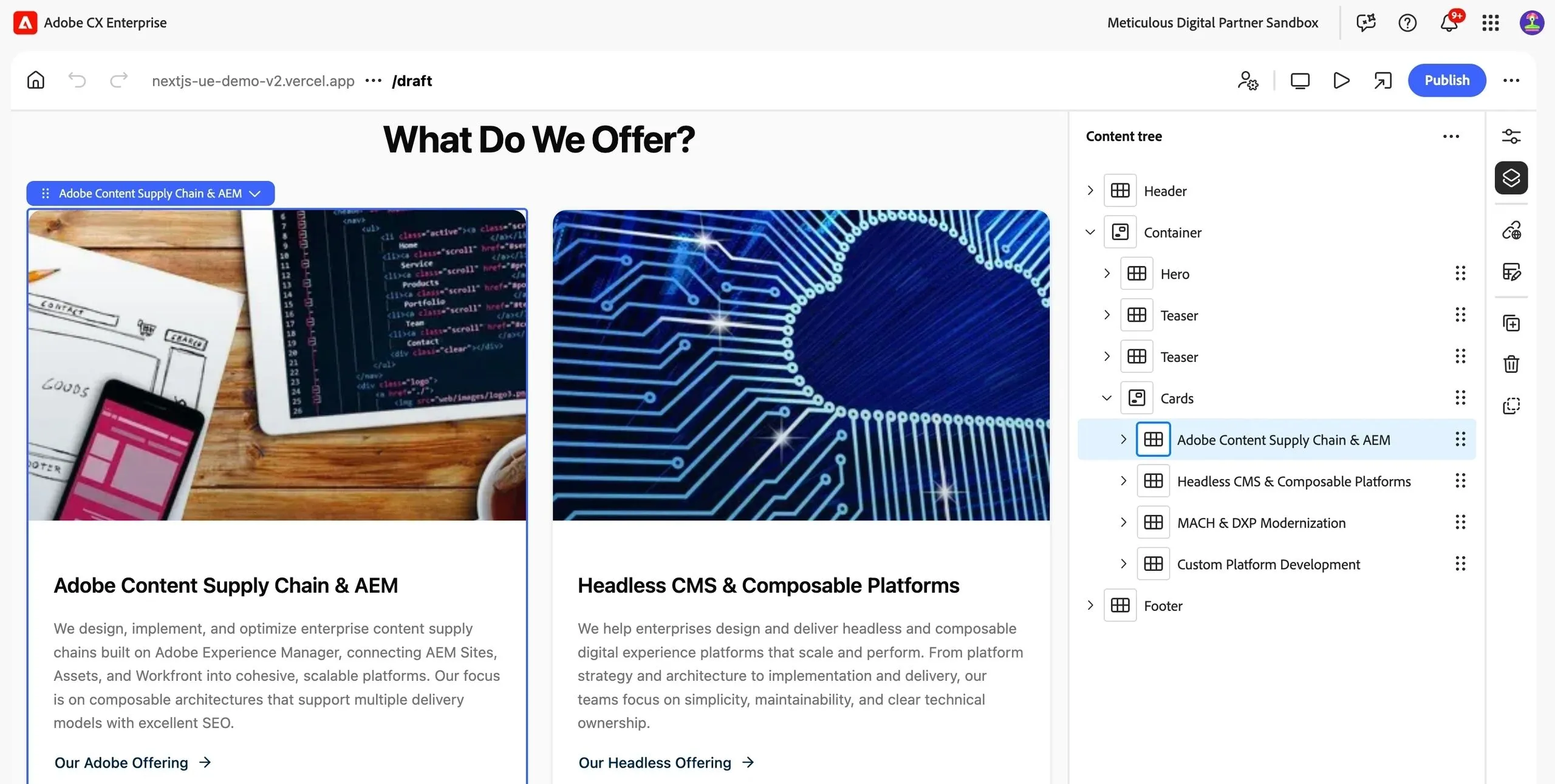
Document Authoring - a New, Simple CMS for Edge Delivery Services
 Daniel Strmečki
The first time I saw our partners at Adobe present document-based authoring, I thought it was a great solution for smaller and short-lived sites. However, most enterprises would probably not use it as it lacks advanced enterprise CMS features like automated translations, market/language rollouts, bulk updates, custom workflows, etc. Looks like Adobe might have gotten similar feedback from customers as they recently announced early access to a new, simple CMS for Edge Delivery Services (EDS) called Document Authoring (DA).
DA is a user-friendly, high-performance, and highly available document-based authoring solution for managing, editing, and publishing sites. It’s built around the EDS document model, using concepts like blocks and sections. DA has an SDK, APIs, and integrated Adobe technologies to support modern content creation workflows.
Adobe chose to name it "Document Authoring", which can be quite confusing for customers, especially since both SharePoint and Google Drive already support "document-based editing" in a more literal and widely understood sense. Therefore, think of it as a new lightweight CMS for EDS, an alternative to the existing SharePoint and Google Drive content repositories for documents.
A Lightweight EDS CMS
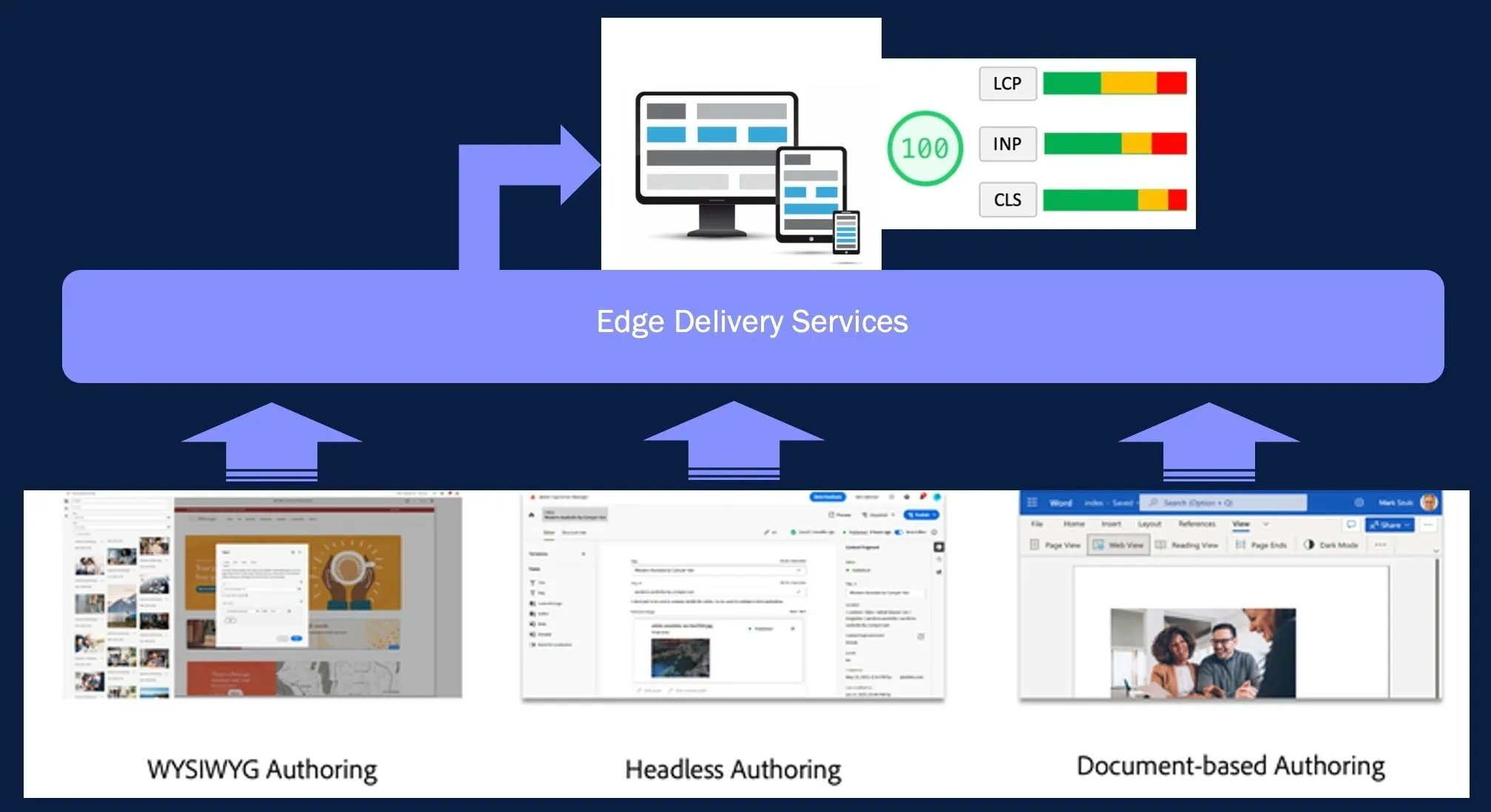
EDS is not a CMS itself; it is a delivery layer that serves sites and assets stored in different content repositories. The OOTB supported content repositories are AEM and classic Word/Excel documents. By choosing AEM as the repository, we could use Sites with Universal Editor or a fully headless implementation with Content Fragments. On the other hand, for a document repository, we could choose between SharePoint and Google Drive. Now, DA offers a third, alternative document repository with some additional authoring features. DA still follows the principles of simplicity introduced with document-based editing for EDS. Therefore, it requires minimal author training, but in addition, it supports automation, workflows, and even customization.
EDS Document Delivery
When an author publishes a document, EDS automatically converts it into markdown (MD) format and generates a minimal HTML file that can be cached and served from the edge. Once the page loads in the browser, the EDS JavaScript runtime dynamically detects the block structure. Then it loads the appropriate block JS module that enhances or transforms the HTML by applying DOM manipulation, interactivity, or styling. Thanks to using plain JavaScript and the phased rendering approach, EDS achieves top Google PageSpeed scores. However, the same phased, client-side rendering approach may cause some flickering on slower mobile connections.
Document Management
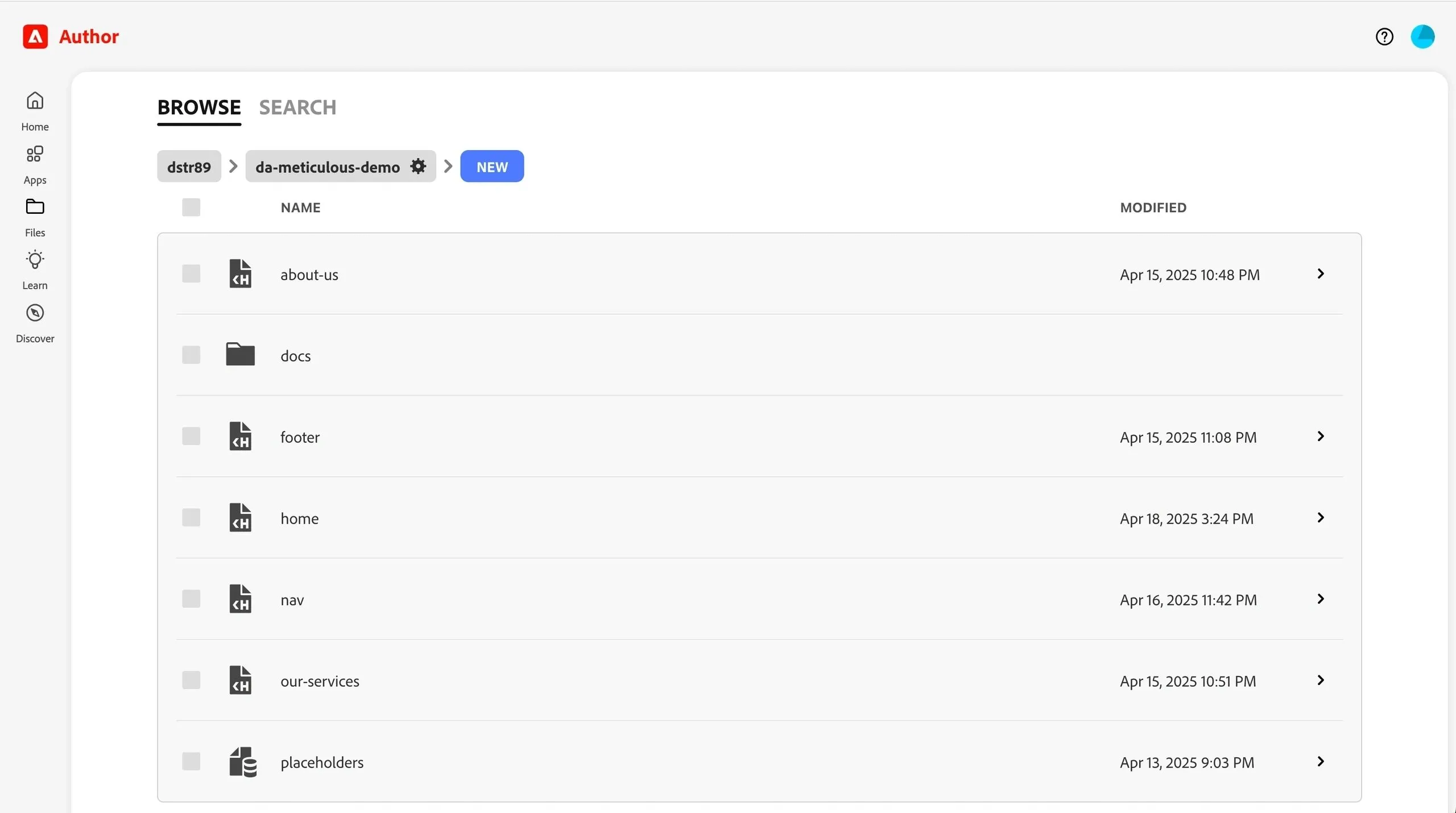
DA offers a new, simple interface for managing documents stored and versioned in the cloud. The interface supports creating new folders and documents, as well as actions such as renaming, copying, cutting, pasting, and sharing. A fast, built-in search is available, with an option to replace content in all found documents.
Document Editor
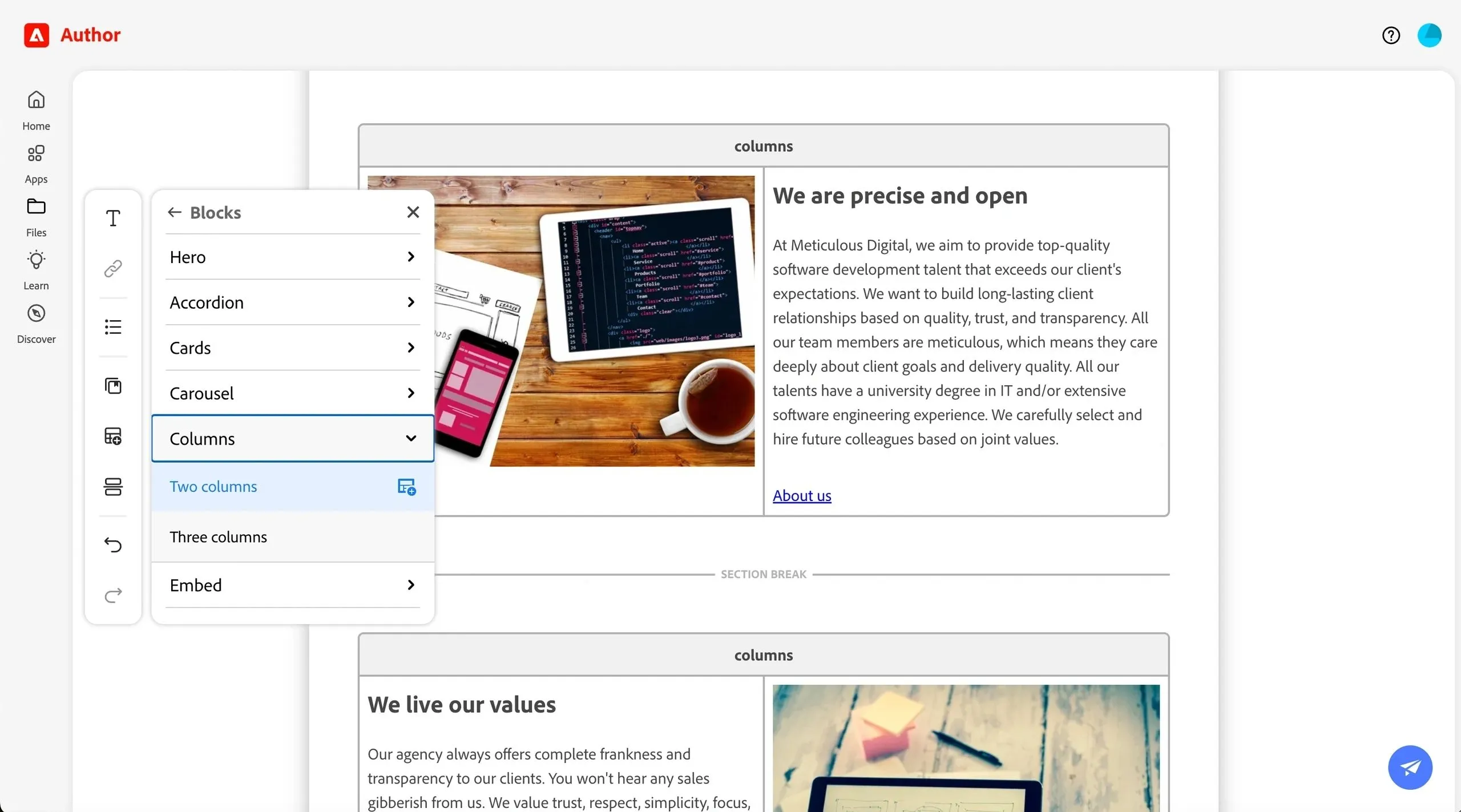
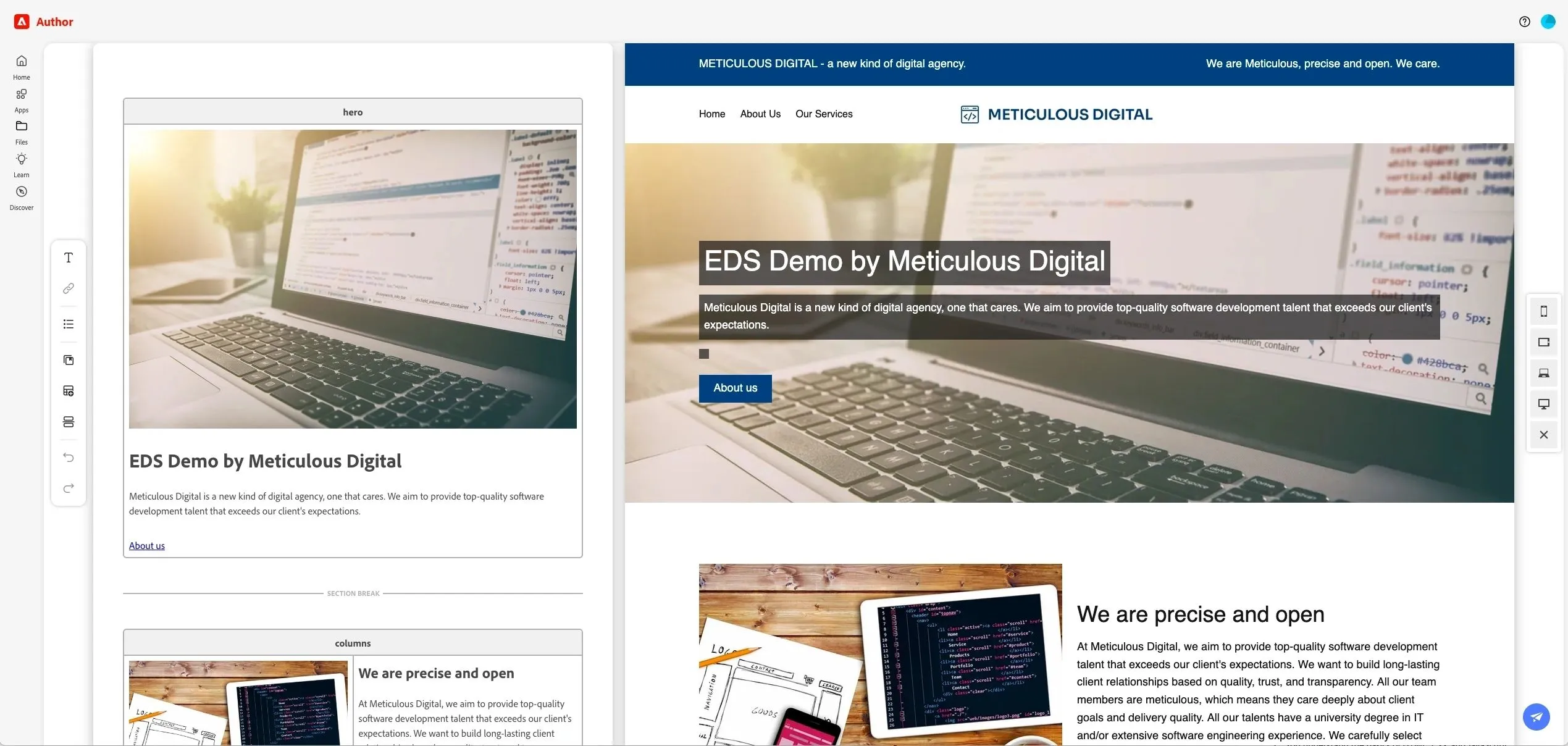
DA includes a Word/Excel-like document editor that loads really fast. Since EDS blocks are just simple tables in documents, adding them manually can be difficult for authors. Therefore, DA includes a quick functions menu that enables authors to simply add any supported block/component with demo content included. In addition, authors can select assets stored in AEM, as well as a predefined set of icons and placeholders. After entering some text, authors can also make use of the quick functions menu to define text formatting or add a hyperlink. DA supports real-time collaboration for authors, allowing several authors to simultaneously edit the same document.
Live Preview
DA editors offer a live preview feature, allowing authors to toggle between different screen sizes like mobile, tablet, and desktop. This is a nice feature, but it will require a wide monitor for simultaneously editing and previewing desktop content.
Versioning System
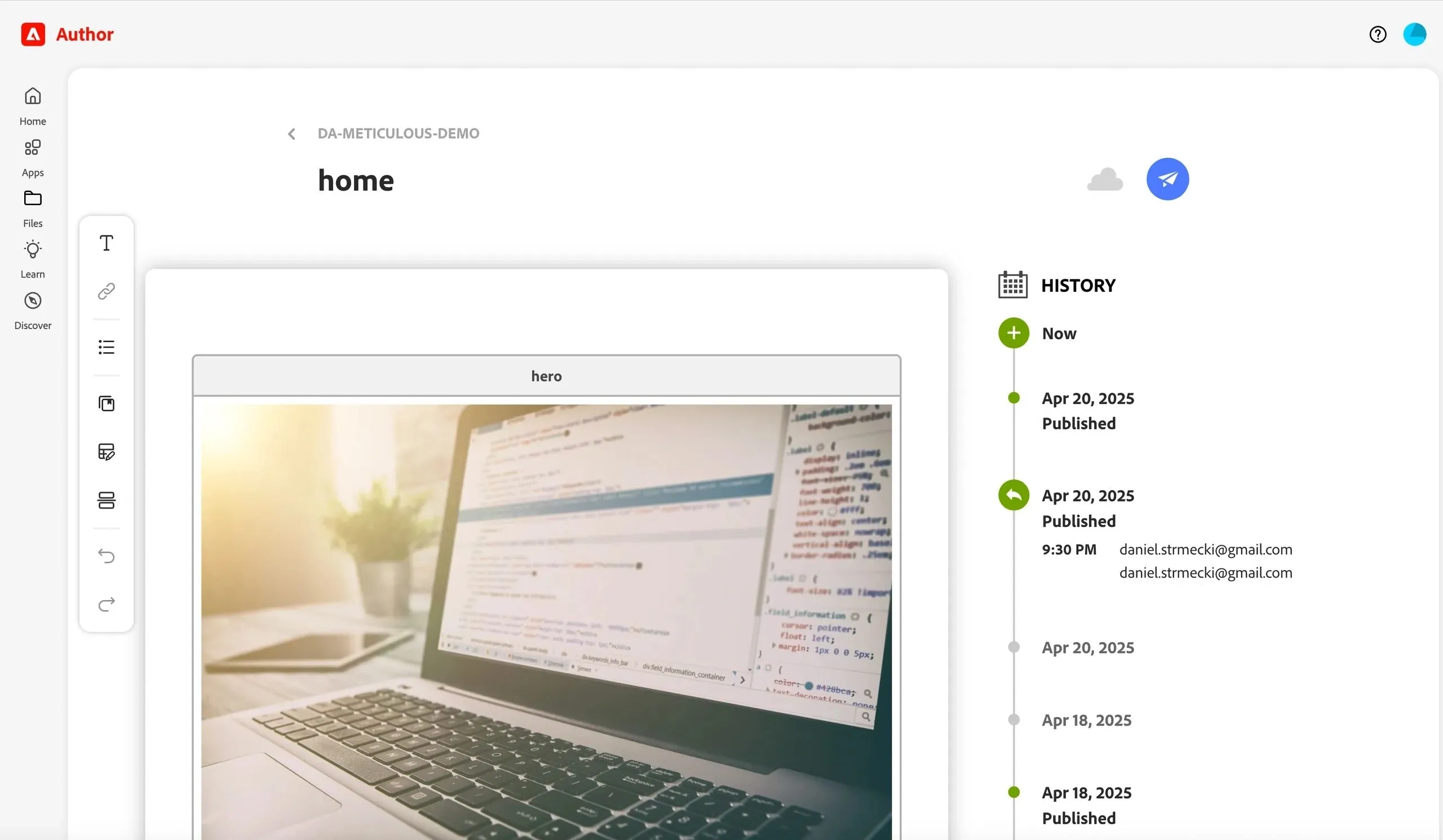
DA includes a built-in document versioning and audit tracking. Every change made by an editor is recorded with a timestamp. Editors can create document versions manually whenever needed. Also, versions are automatically created each time a page is published, allowing editors to restore content back to a previously published version.
Bulk Operations
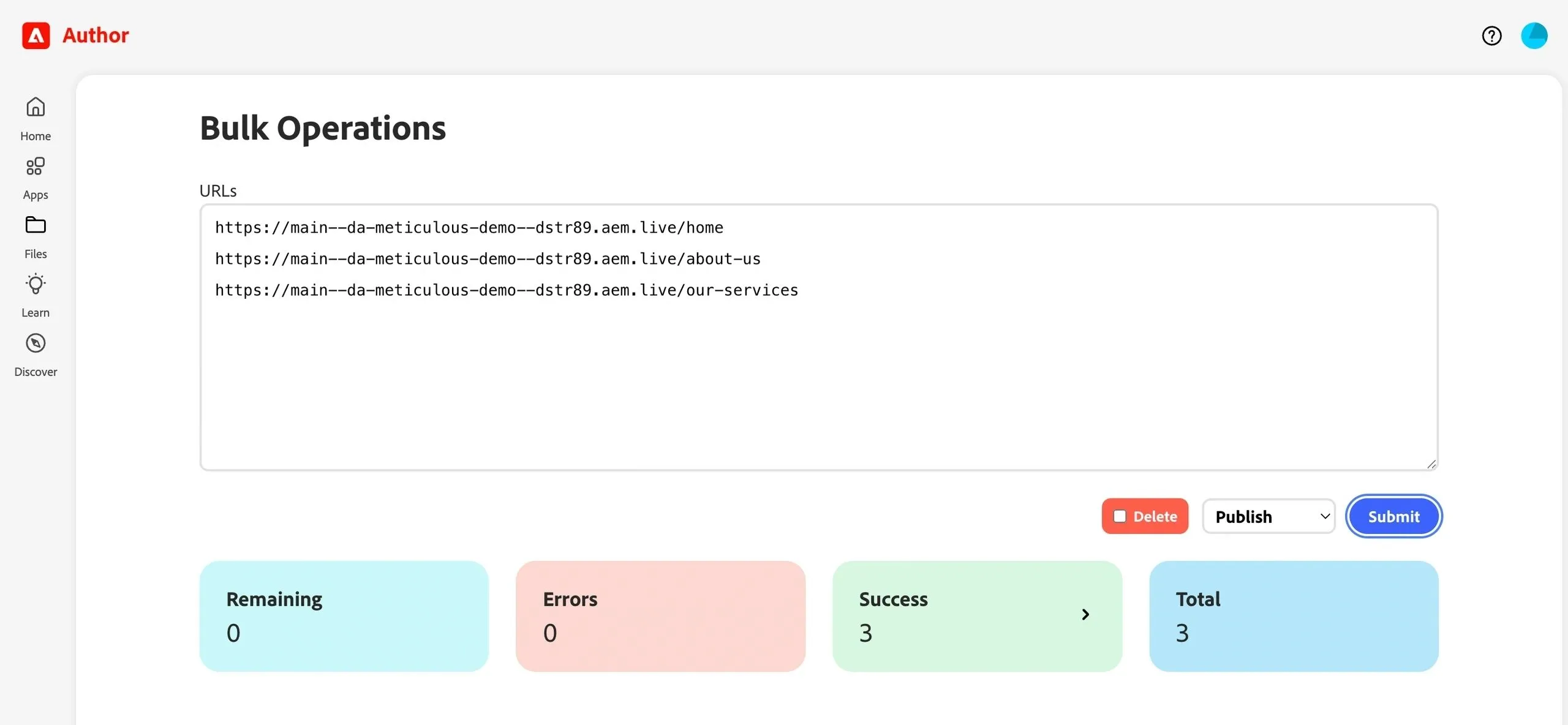
Editors can make use of a simple tool for performing bulk operations like preview, publish, reindex, and versioning. This can be quite handy when introducing major content changes. For example, before replacing a block/component with another one, editors can first bulk-version and later bulk-publish all documents using that block.
Translations
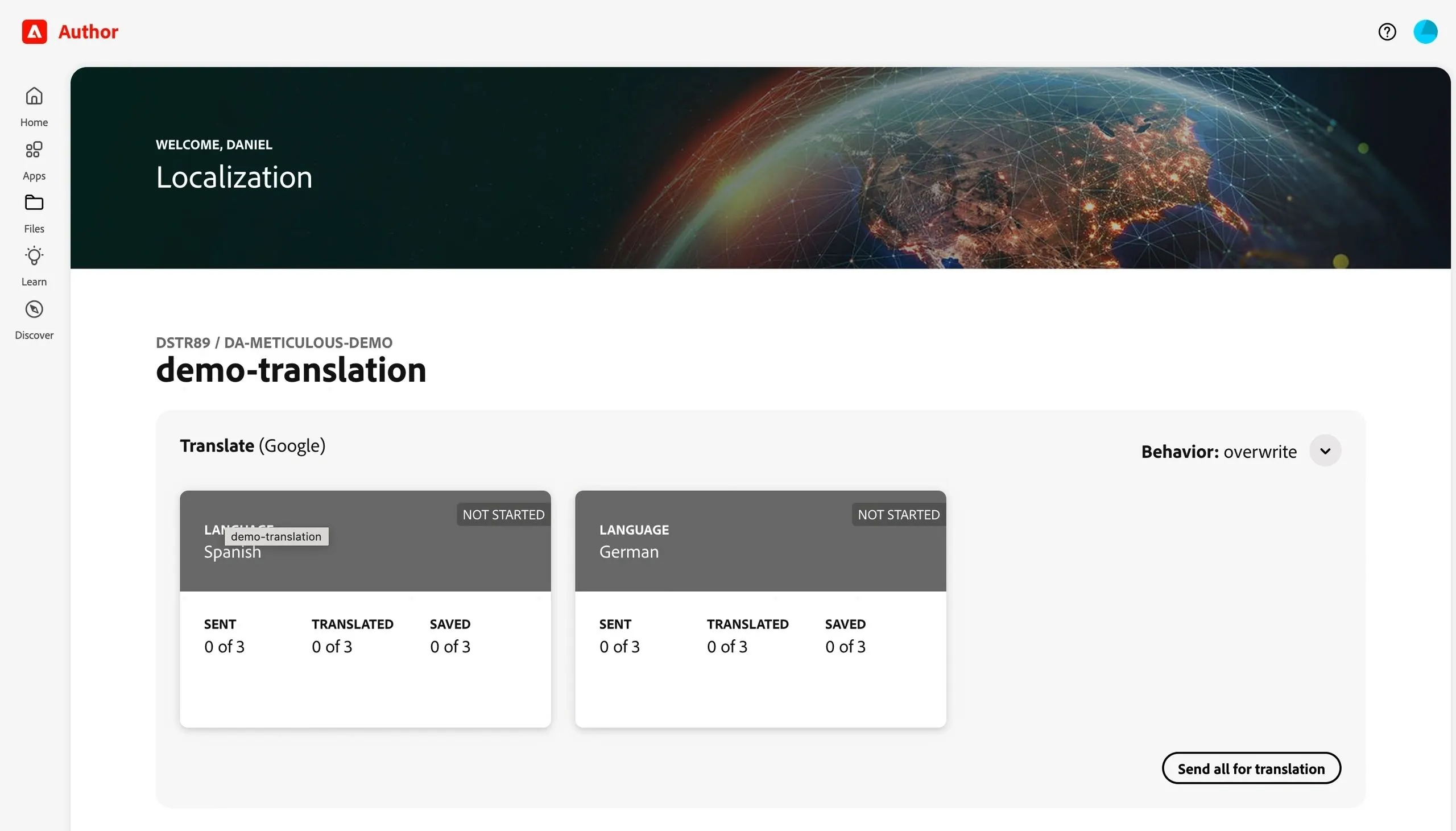
The lack of a proper translation management system made document-based editing options with SharePoint and Google Drive less attractive to enterprises operating globally or in several markets. DA addresses this by offering a simple and flexible tool for automated translations, with an MSM-like feature to process and roll out local changes.
Conclusion
DA definitely makes EDS document-based editing more attractive to mid-market and enterprise clients as an alternative offering to AEMaaCS, not replacing it. In my opinion, AEMaaCS is still the king for enterprise-scale content management, supporting live copy inheritance and blueprint structures, advanced content modeling with fragments, AI-powered metadata, advanced permission management, WYSIWYG editing experience, deep integrations with Adobe and internal tools, allowing basically any type of customization or implementing complex workflows. However, DA could be a solid alternative for clients looking for a more lightweight, flexible CMS. Combined with EDS, DA is ideal for clients prioritizing speed and simplicity. It can save significant author onboarding time and bring new, performant sites live in record time.