Daniel Strmečki
Recently, I stumbled upon a requirement to support third-party teams in developing their own small widgets, basically front-end applications that could easily integrate with our CMS. Since I've done similar things in the past, I know what a mess can be created if you allow third-party development in your main CMS or front-end repo. Therefore, this time, I've decided to explore solutions that allow complete decoupling. I don't want to force third-party teams to follow the same guidelines as our team or keep their code updated with our versions of core frameworks. I want them to be completely independent in developing and deploying their small applications. However, even though the third-party widgets will be simple frontend applications, they will still need some backend APIs and storage options. Of course, this can be done on any cloud provider like Azure or AWS, but looking for a simple, cost-efficient, and developer-friendly solution I stumbled upon Cloudflare Pages.
Cloudflare Pages
Cloudflare Pages is a platform for building and deploying fast, secure, and scalable applications designed to work seamlessly with Cloudflare’s global CDN to improve performance, reliability, and security. The main benefits of the offering include:
- Optimized for JAMstack architectures, which focuses on serving pre-built static content, with client-side JavaScript, and APIs
- Automatically deploys our application on Cloudflare’s edge network so it is served globally with minimal setup
- Supports serverless functions that run at the edge, allowing us to handle dynamic content
- Cloudflare Workers scale automatically without needing to manage any infrastructure
- Cloudflare's security features, such as DDoS protection, firewall, bot mitigation, and rate-limiting come out of the box
- Supports modern web frameworks like Next.js, React, Vue, and Preact out of the box
- Ensures fast build times and can cache our site’s assets for further performance improvements
- Offers a free tier, which includes unlimited sites, global CDN, and SSL, with certain limitations on builds and serverless functions
Storage Options
On top of all the mentioned features, Cloudflare Pages currently supports four different storage options:
- Durable Objects is a powerful, flexible storage option that provides stateful, distributed objects. It allows us to manage data that needs to persist across requests without relying on external storage solutions like KV or D1.
- Cloudflare KV (key-value) is a distributed key-value store that allows us to store and retrieve data across Cloudflare’s edge locations. It is designed for scenarios where low-latency data access is needed at scale, and it works well for quickly serving relatively small pieces of data.
- Cloudflare D1 is a fully managed, distributed SQL database designed to be globally distributed and work seamlessly with Cloudflare Workers. D1 database offers support for relational data with SQL queries, so it's ideal for scenarios that require structured data storage and complex queries.
- Cloudflare R2 is an object storage solution similar to Amazon S3. It is well suited for storing large binary objects like images, videos, backups, logs, or any other unstructured data.
Demo Application
It looks like Cloudflare Pages has everything we need to build third-party widgets, with simplicity and cost-efficiency in mind. Therefore, now it's time to put it to the test and build a demo widget. In this tutorial, we'll build a Price Calculator application that pulls product information from a D1 SQL database. We'll make use of Preact as the frontend framework because we aim to render the widget client-side on the existing websites. Therefore, we want to leverage a lightweight and fast front-end framework with a small bundle size, that will not negatively impact the main site's performance. Preact uses a highly optimized virtual DOM, similar to React, but it is more lightweight and faster. Due to its small size and efficient rendering, it is a good choice for edge computing platforms like Cloudflare Pages.
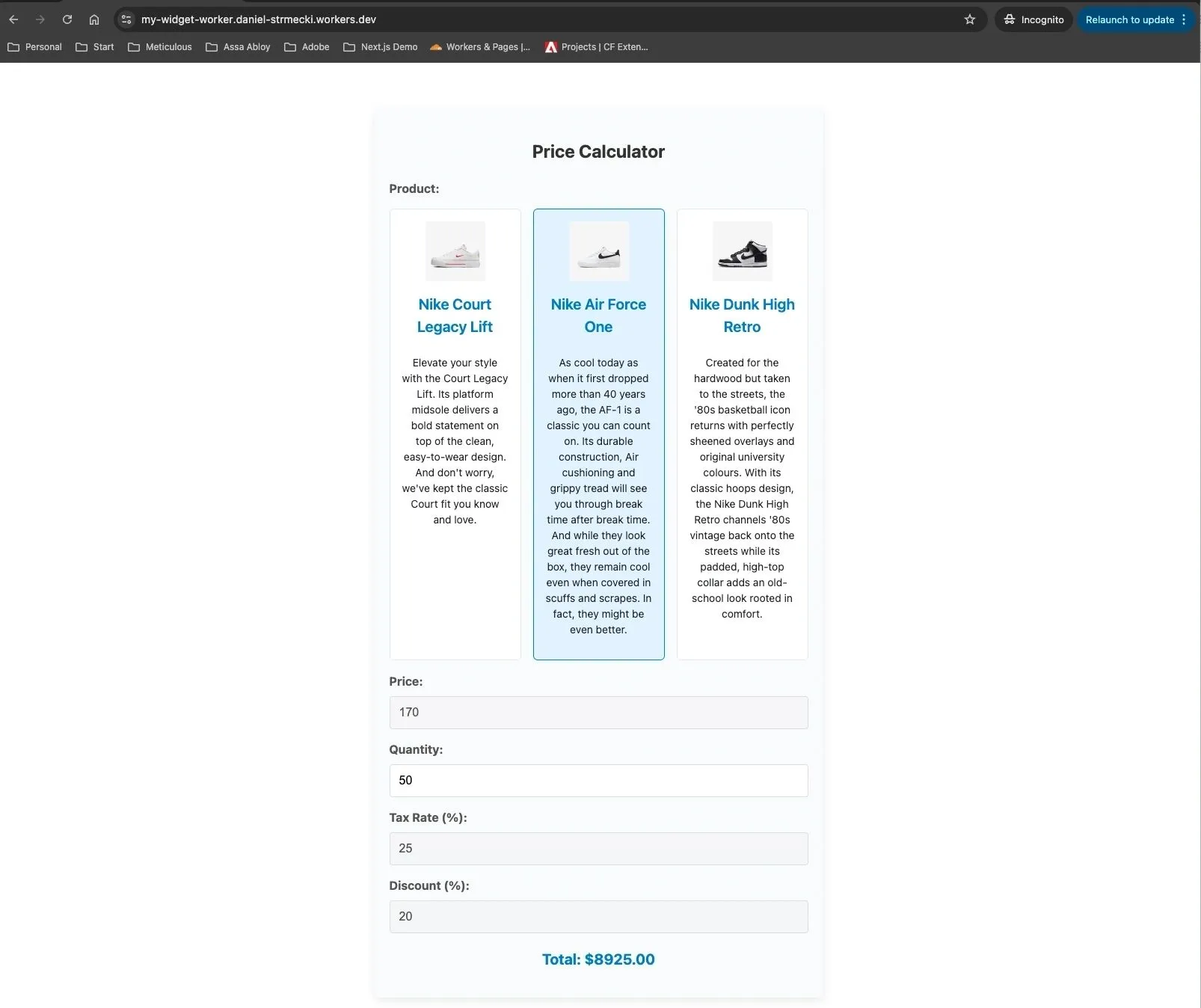
Creating a simple Price Calculator Preact widget like the one shown in the image can be done with the help of ChatGPT in less than one hour. However, we'll need our widget to be embeddable on other websites. Therefore, in the index.tsx of our widget, we'll export an init method that allows rendering the widget in any specified HTML element on an existing site.
import { render } from 'preact';
import PriceCalculator from "./PriceCalculator";
import './style.css';

function App() {
   return (
     <div id="gw-price-calculator-holder">
       <section id="gw-price-calculator-widget">
         <PriceCalculator/>
       </section>
     </div>
    );
}

// Exportable bootstrap function for embedding as a widget
const init = (selector: string) => {
 const container = document.querySelector(selector);
 if (container) {
        render(<App />, container);
    }
};

export { init, App };
The interesting part is how we package and deliver the widget. For the use-case of integrating the widget on other websites, it is handy to package the complete application, including JS and CSS, in a single JS file. We'll make use of the Vite build tool to achieve that, using the following configuration defined in vite.config.ts.
import { defineConfig } from 'vite';
import cssInjectedByJsPlugin from 'vite-plugin-css-injected-by-js';
import preact from '@preact/preset-vite';

export default defineConfig({
  plugins: [preact(), cssInjectedByJsPlugin()],
  build: {
        lib: {
          entry: 'src/widget/index.tsx',
          name: 'CalculatorWidget',
          formats: ['iife'], // Produces a single, self-contained file that can be loaded directly in the browser
        },
        rollupOptions: {
          output: {
            inlineDynamicImports: true, // Bundle all dynamic imports and any code they depend on into a single output file
          },
        },
      },
});
Worker Setup
Now that we have our widget developed and packaged, we still need to deliver it using Cloudflare Pages. Therefore, we'll add the following three configurations in our Worker's wrangler.toml file:
[build] command = "npm run build" # 1) Ensures that Vite build is run before we deploy
assets = { directory = "./dist/", binding = "ASSETS" }  # 2) Exposes the /dist directory containing the widget JS produced by Vite as an asset
[[d1_databases]] # 3) Define properties required for the Worker to connect to D1
binding = "DB" # Should match preview_database_id
database_name = "calculator-sample-products"
database_id = "{add_your_db_id_here}"
preview_database_id = "DB" #Required for Pages local development
Next, we need to set up our product database, fill it with some test data, and grab the ID required for the Worker integration. All this can be done with just a few clicks on the Cloudflare Pages Developer Platform.
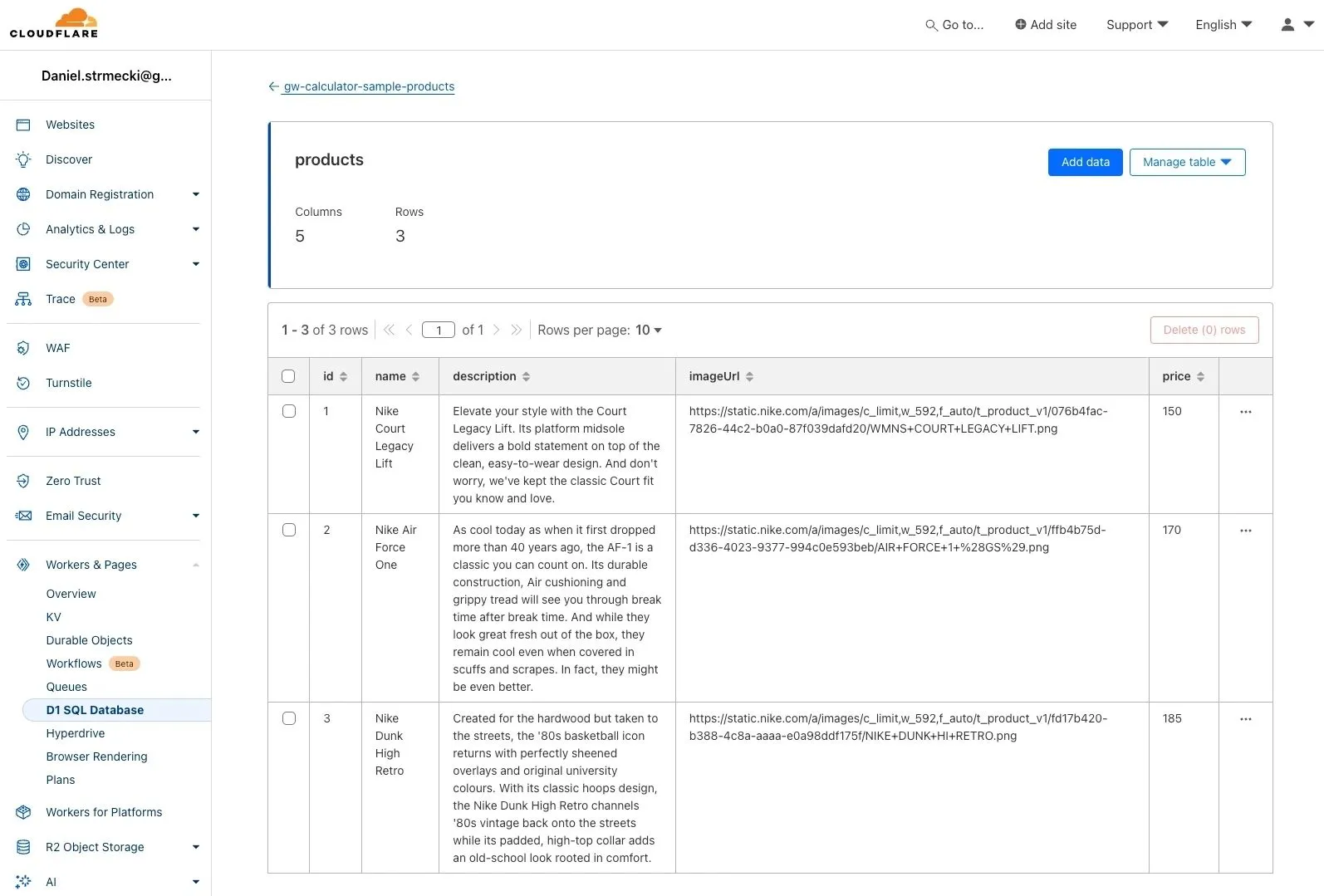
Finally, it is time to write our Worker code. With some basic routing options, we'll support the following three cases:
- On the root path, we'll return a simple HTML page for testing purposes. The HTML pages integrate the widget in the same way it would be integrated in any CMS/website
- On the /data path we'll fetch the product data from our D1 SQL database and expose it as a JSON API
- On any other path, we'll try to fetch the asset if it exists. This is used to fetch the widget JS file required for the integration
With the below code in place in the Worker's index.ts, all we need to do is run the wrangler publish command to deploy our widget on Cloudflare Pages.
export default {
  async fetch(request, env, ctx): Promise<Response> {
    const url = new URL(request.url);
    // Check if the path is the root
    if (url.pathname === "/") {
      // Include full HTML loading the script from /dist folder in the response
     const completeHtml = `
                <!DOCTYPE html>
                <html>
                    <head>
                        <script type="text/javascript" src="/my-widget-worker.iife.js"></script>
                    </head>
                    <body>
                        <div id="widget-container"></div>
                        <script>
                            GwCalculatorWidget.init("#widget-container");
                        </script>
                    </body>
                </html>
     `;
     return new Response(completeHtml);
   } else if (url.pathname === "/data") {
     // Return product data from DB
     try {
       const { results } = await env.DB.prepare("SELECT * FROM products").all();
       return new Response(JSON.stringify(results));
     } catch (error) {
       const message = (error as Error).message || "An unknown error occurred";
       return new Response(`Error: ${message}`, { status: 500 });
     }
   } else {
     // Return assets from /dist folder
     return env.ASSETS.fetch(request);
   }
  },
} satisfies ExportedHandler<Env>;
Conclusion
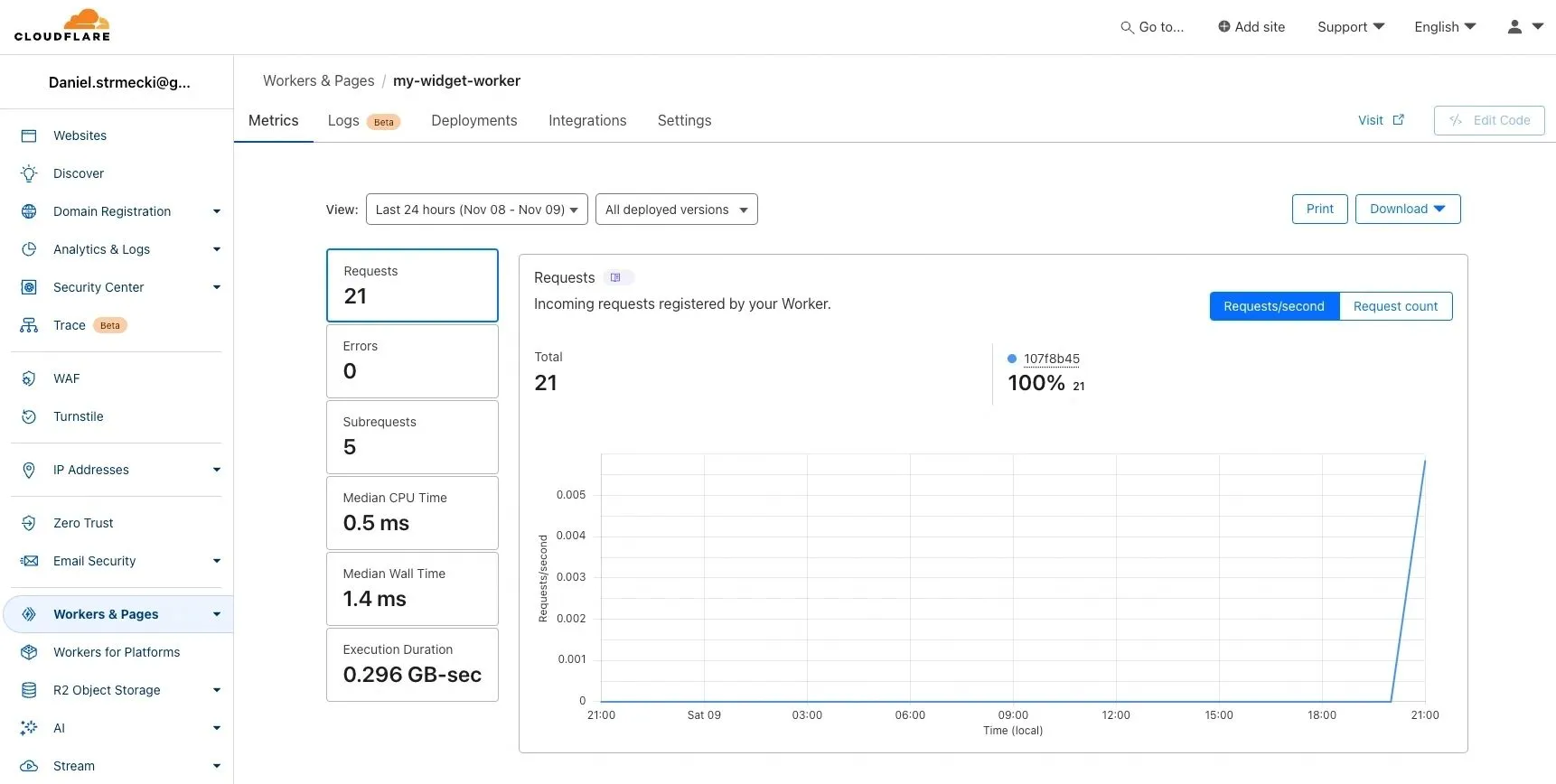
In this quick tutorial, we've covered how to build a fully functional Cloudflare Pages application that uses client-side rendered Preact as the front-end and a Worker connected to the D1 SQL database as the back-end. You can check out the published demo widget running live on this link.
With solutions like Cloudflare Pages, deploying applications directly on Edge is becoming incredibly fast and simple. This was just one use case where it really made sense to explore edge computing capabilities. I hope this article inspires other developers to try out edge computing capabilities. It does look like we'll use it more and more in the future for many other use cases.