Daniel Strmečki
Adobe Experience Manager as a Cloud Service (AEMaaCS) provides organizations with a secure and highly available platform for managing digital experiences. One of the key operational concerns for any enterprise CMS platform is how to protect against data loss and recover from mistakes, whether it’s accidental content deletion, corruption, or a problematic deployment operation. Unlike on-premise AEM, where backup strategies could vary across organizations, AEMaaCS centralizes this responsibility with Adobe and offers built-in backup and restore capabilities. Understanding how this process works, when to use it, and how to automate it helps teams make smarter backup and recovery decisions.
How Backup and Restore Works
Backups in AEMaaCS are created automatically by Adobe, so customers don’t need to maintain their own scripts or storage policies. These backups form the foundation for the restore process, which is initiated through Cloud Manager. When we trigger a restore, AEMaaCS reverts our content repository to a chosen point in time, while leaving our custom code deployments and AEM version unchanged. This separation is important: developers don’t need to worry about code being rolled back, but content authors should understand that anything created or modified after the restore point will be lost.
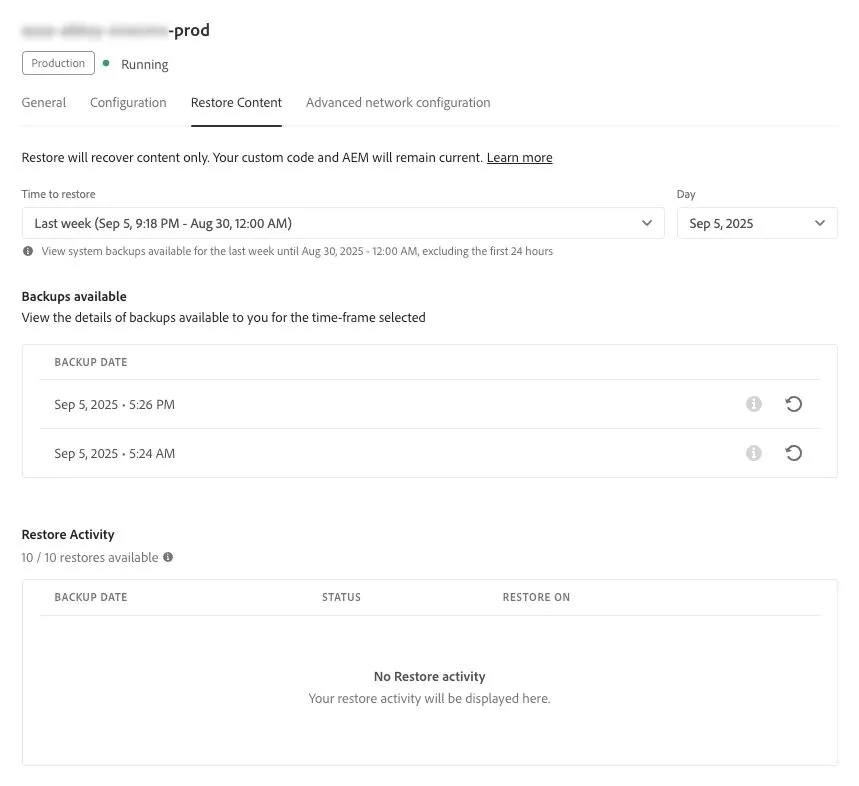
There are two main types of backups available. The first is Point-in-Time (PIT), which allows us to restore to any specific moment in the past 24 hours. This is useful for situations like accidental bulk deletions or bad content imports that happened recently. The second option covers the Last Week, providing twice a day snapshots from up to seven days ago (excluding the last 24 hours). These older snapshots offer a safety net if an issue goes unnoticed for more than a day.
While daily operational backups protect against common risks like accidental deletions or failed imports, they don’t address the larger risk of a regional outage. AEMaaCS mitigates this scenario through offsite backups. For all production environments, AEM continuously replicates content to a remote region, where it remains available for recovery for three months. If a regional failure occurs, Adobe’s team steps in to restore both staging and production environments from these offsite copies. For enterprises with strict business continuity requirements, the built-in disaster recovery capability is one of the strongest advantages of running AEM in the cloud.
Alternatives to Full Restore
A full repository restore is powerful, but with a serious consequence of losing data created after the restore point. Before doing a full restore, Adobe recommends considering selective restoration options that are less disruptive. If a package was deleted or corrupted, we can simply reinstall it using the Package Manager. If a specific page tree was removed by mistake, the Restore Tree function allows us to bring it back without affecting unrelated areas of the repository.
Another option to consider is to proactively leverage Content Copy with predefined Content Sets. This feature allows us to copy content from a higher environment (for example, Production) back into another lower environment (such as Stage). Having such a content copy process in place is especially useful when the content loss is limited to just a few folders on a single environment.
Keeping Staging environments in sync with Production is also best practice for regression testing and UAT. While Cloud Manager allows teams to copy content on demand, the process can also be automated using the Content Sets API. By leveraging an Adobe I/O project with proper permissions, we can schedule content copy jobs to run overnight or during the weekend. In practice, this can be orchestrated with CI/CD tools that trigger copy jobs for predefined content sets at fixed times, then run verification checks later in the day. A practical setup looks like this:
- Define Content Sets in Cloud Manager for the areas you want copied (e.g., Sites, Experience Fragments, and Assets).
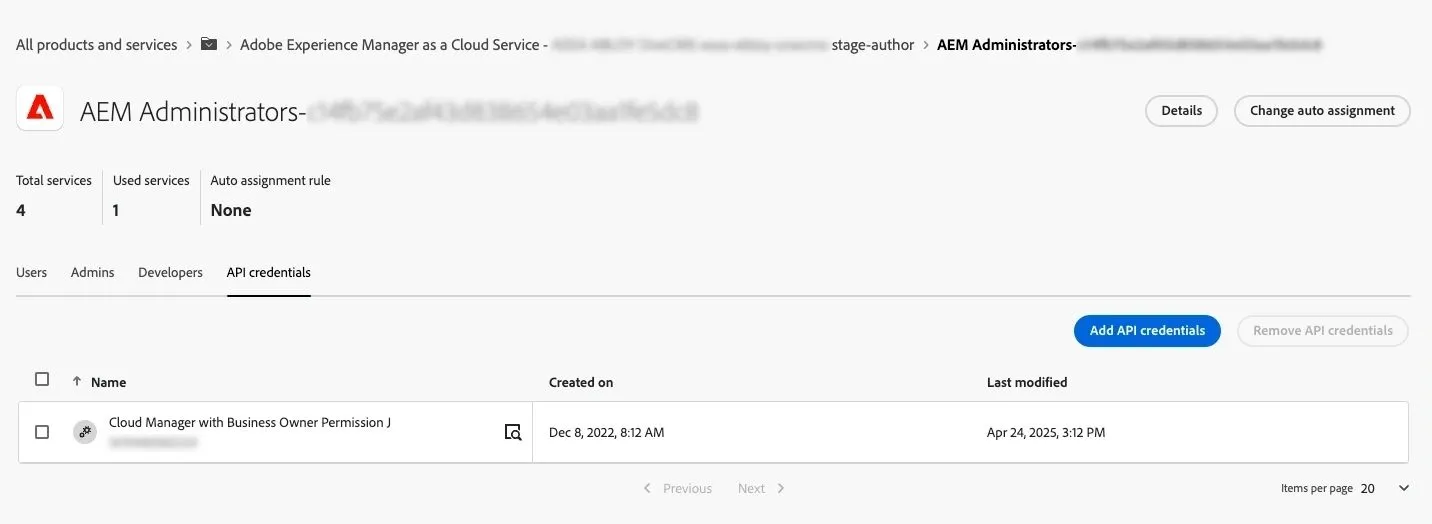
- Create a new project in the Adobe I/O project with Business Owner permissions.
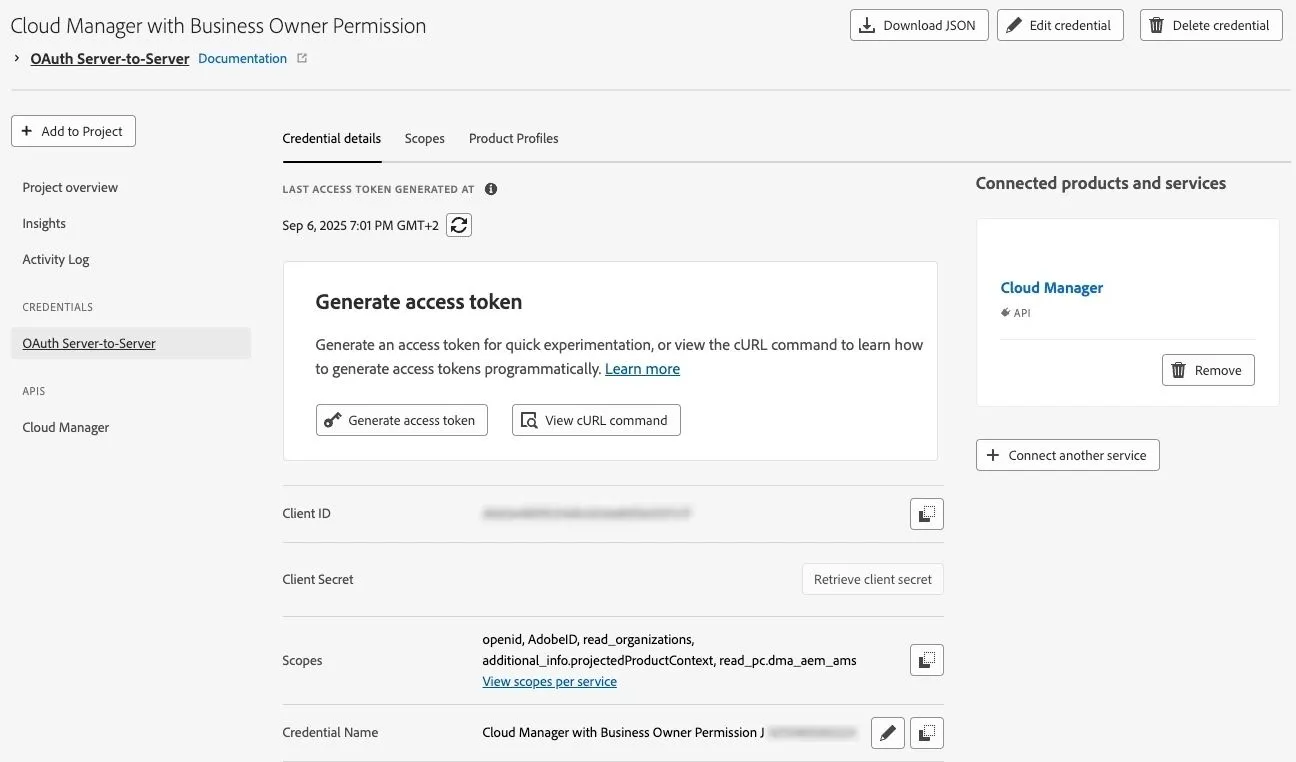
- Add the API credentials to the AEM Administrators product profiles in Admin Console for both source and target environments (e.g., Stage Author and Production Author).
- Use the Content Sets API to programmatically trigger content copy activities via GitHub Actions or a similar CI/CD tool.
- Verify completion with a second scheduled job later in the day that checks job status using the same API.
- Send notifications to the team communication channel so everyone in the team knows that the copy job succeeded and that the Stage now mimics Production content.
With this approach, Staging environments can be automatically refreshed, reducing manual work, ensuring up-to-date test data, increasing confidence in UAT, and providing a secondary backup option. In case of a content loss or corruption, the Stage content can be copied back to Production using Package Manager.
Restoring Using Temporary Environments
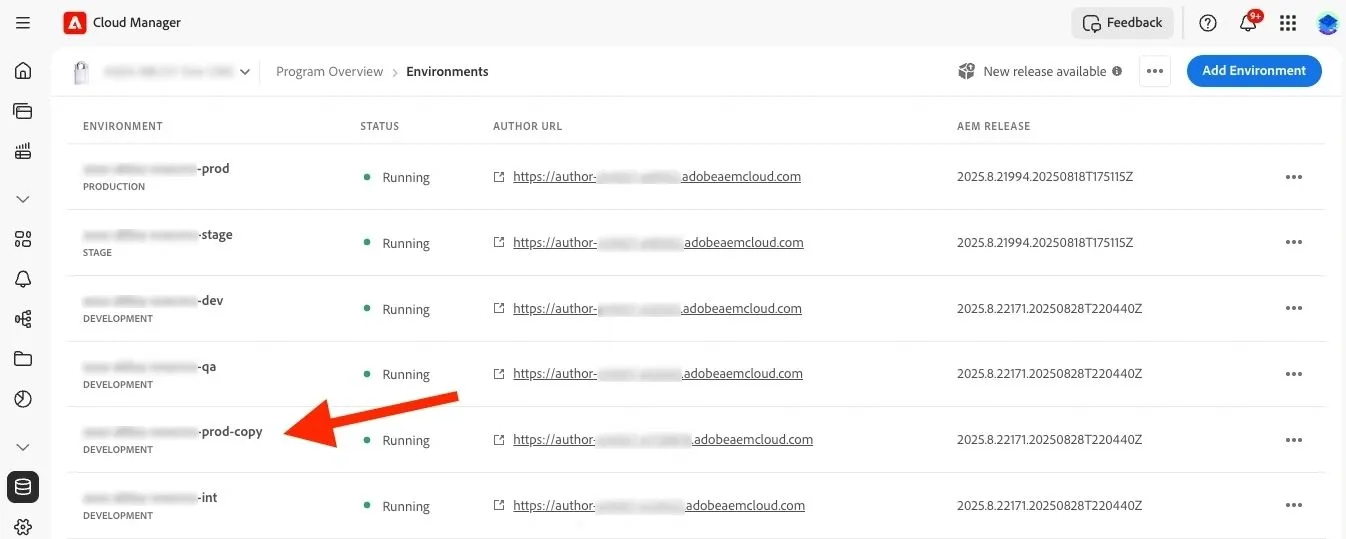
On large AEM projects with multiple sites or many editors, the amount of content is sometimes simply too large to copy everything to a lower environment using Content Sets. Therefore, if only a small amount of content is lost on Production, the full Production rollback may not be an option. In such cases, Adobe provides an alternative approach through their Support: restoring a Point-in-Time (PIT) backup into a Temporary environment for P1 content loss incidents.
This process works as follows:
- Initiate a PIT Restore to Temp Instance by opening a P1 incident with Adobe Support.
- Adobe can restore a snapshot of your Production environment (from the last 7 days) onto a Temporary environment, which ensures that the live Production content is not impacted.
- Once the cloned Temporary environment is ready, we can configure access to that environment using product profiles in Admin Console.
- Then, we can log in to the Temporary environment and validate that the previously deleted or corrupted content exists and can be restored.
- Use Package Manager to isolate just the content that needs to be restored on Production. Create, build, and download the package from the Temporary instance, upload it to Production, and install it.
- This restores only the targeted folders, assets, or site structures. After verifying that the content has been restored successfully, inform Adobe Support to terminate the Temporary environment.
This method has several advantages:
- It is non-disruptive to Production, since the restore happens in isolation.
- It allows granular content recovery from a full environment snapshot, even though direct selective restores aren’t supported in the Cloud Manager.
- It gives teams the flexibility to recover exactly what they need without losing days of authoring activity.
The main limitation is the 7-day recovery window, since PIT snapshots are only available within that period. In the past, the only option was to restore the entire production environment to a specific point in time, which was rarely feasible when managing many sites and ongoing authoring work. The ability to restore into a temporary environment and selectively copy content back into production is a game-changer, giving teams far more flexibility while avoiding disruption.
Conclusion
In AEMaaCS, backup and restore is more than just a technical safeguard; it is a cornerstone of business continuity. Adobe’s built-in approach removes the burden of custom backup strategies, offering enterprises a standardized, resilient system that ensures content can be recovered quickly and reliably when issues arise. By understanding the available restore types, we can make informed decisions about when to rely on a full rollback, when to pursue selective recovery, and when to escalate to Adobe for temporary environment restores.
Equally important is recognizing that operational efficiency comes from preparation. Automating content copy between environments, maintaining alignment between Production and Staging, and setting up processes for selective recovery all reduce downtime and ensure teams remain productive even when unexpected events occur. This not only safeguards digital assets but also protects customer experience and brand trust.
When paired with thoughtful governance and automation, backup and restore capabilities allow organizations to minimize risk, accelerate recovery, and keep their digital experiences resilient in the face of disruption. At Meticulous Digital, we help enterprises turn AEMaaCS capabilities into a strategic advantage. Business continuity requires foresight, and with the right partner, organizations can ensure their recovery practices align seamlessly with long-term resilience and digital growth goals.